


Golang+Angular+MariaDB #20 Router 기능 추가
Development/Go+Angular+MariaDB 2021. 2. 15. 12:00 |728x90
참고페이지 : 구글링 검색을 통해 습득하여 적용
기존에 작업하던 app.component에서
새로 생성할 user.component로 코드를 이동하였습니다.
페이지를 이원화 하여, Router 연결 작업을 진행하였습니다.
더보기

cmd 결과 화면 - Component 생성
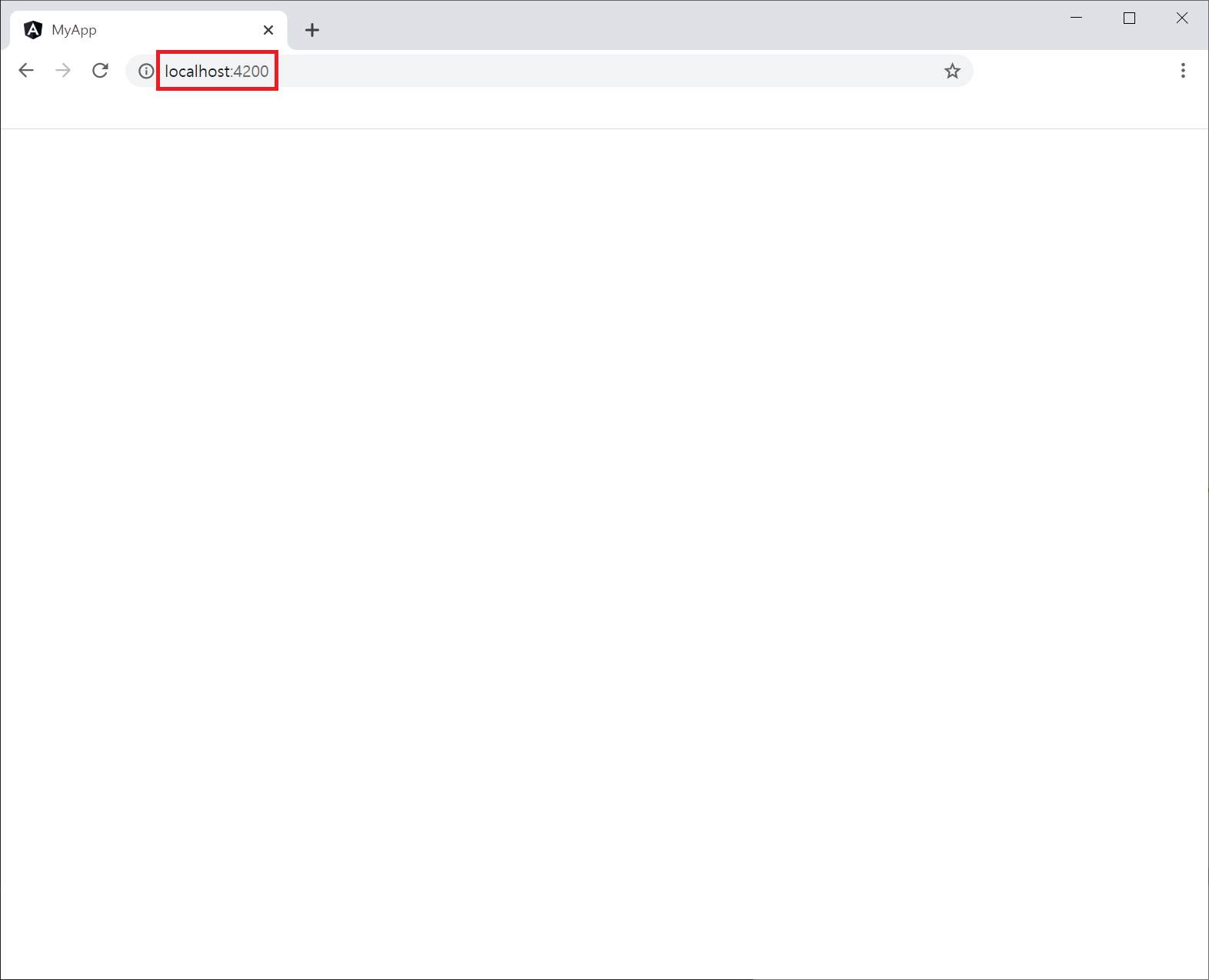
Web 결과화면 - app.component.html
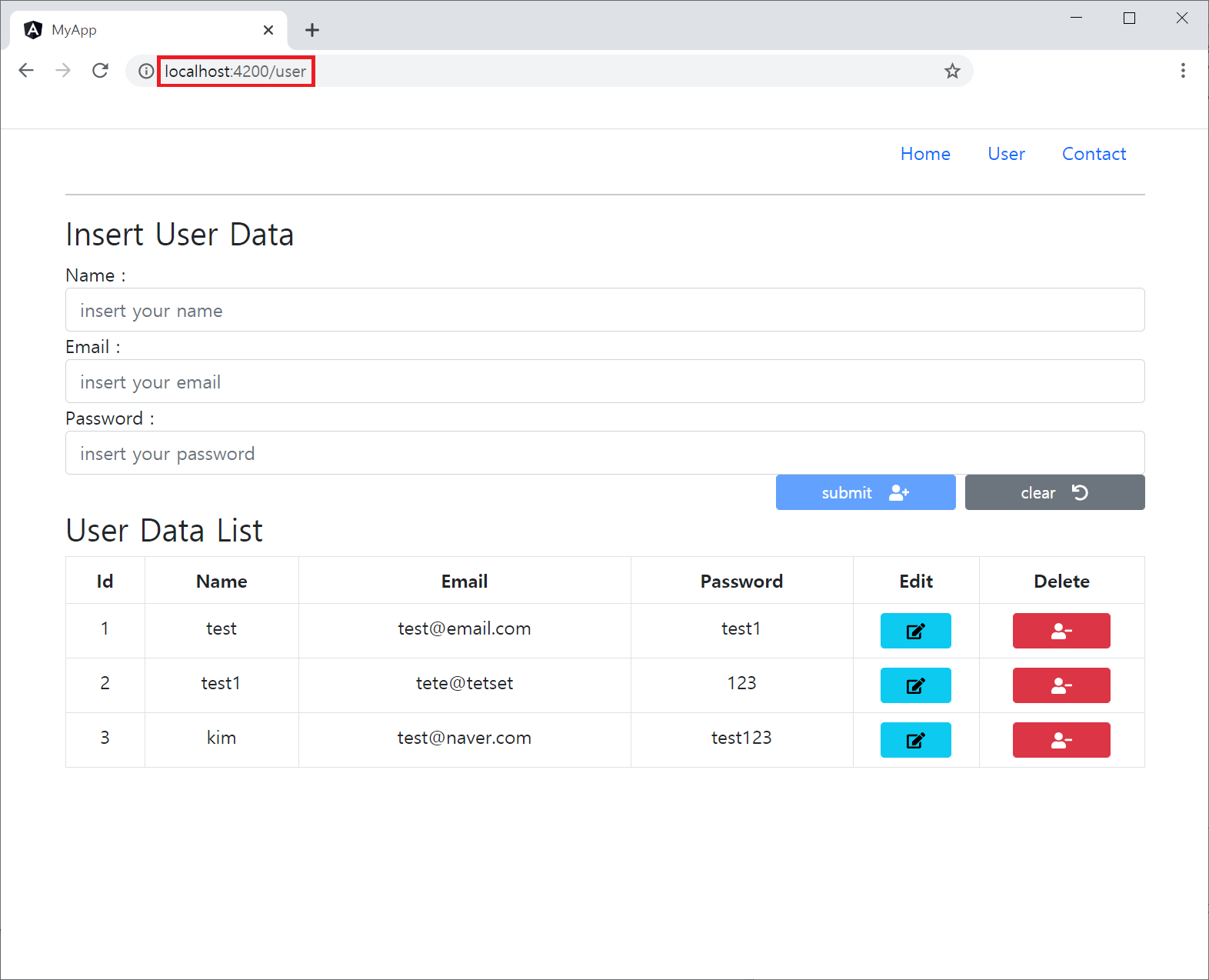
Web 결과화면 - user/user.component.html
Component 추가
프로젝트 폴더로 이동하여 Component 추가합니다.
cd workspace/angular/myApp
ng generate component usersrc/app/app.component.html 초기화
기존의 코드로 초기화 하여 새로 생성될 user의 Component와 충돌되지 않도록 합니다.
<div class="mat-app-background">
  <div class="mat-elevation-z4">

  </div>
  <!-- 라우터에 연결된 Component 표시해 줍니다. -->
  <router-outlet></router-outlet>
</div>
src/app/app.components.ts 초기화
기존의 코드로 초기화 하여 새로 생성될 user의 Component와 충돌되지 않도록 합니다.
import { Component, OnInit } from '@angular/core';

@Component({
  selector: 'app-root',
  templateUrl: './app.component.html',
  styleUrls: ['./app.component.css']
})
export class AppComponent {
  title = 'myApp';

  constructor() {  }

  ngOnInit(): void {
  }
}
src/app/app.module.ts 수정
Router와 관련된 모듈을 Import 해 줍니다.
...

// Router 추가
import { Routes, RouterModule } from '@angular/router';

// URI를 위한 라우터값과 Component를 지정합니다.
const appRoutes : Routes = [
  { path: '', component: AppComponent },
  { path: 'user', component: UserComponent }
]

@NgModule({
  declarations: [
    AppComponent,
    // user component를 생성할 경우 자동으로 생성되느 코드
    UserComponent
  ],
  imports: [
    ...

    // 코드 추가
    RouterModule.forRoot(appRoutes)
  ],
  providers: [],
  bootstrap: [AppComponent]
})
export class AppModule {
  ...
}
src/app/user/user.component.ts 수정
app.component.ts에 있는 코드를 가져온 후 수정합니다.
import { Component, OnInit } from '@angular/core';

import { UserService } from './../user.service';
import { FormGroup } from '@angular/forms';
import { ToastrService } from 'ngx-toastr';

@Component({
  selector: 'app-user',
  templateUrl: './user.component.html',
  styleUrls: ['./user.component.css']
})
export class UserComponent implements OnInit {

  title = 'myApp';

  users: Array<any> = [];

  userId = null;
  displayForm : boolean = false;

  constructor(
    public service: UserService,
    private toastr: ToastrService
  ) {
    this.service.getUsers()
      .subscribe((data) => {
        this.users = data;
        console.log(this.users);
        this.onForm();
      })

    this.service.selectedUser = {
      "id": null,
      "name": '',
      "email": '',
      "password": ''
    };
  }

  ngOnInit(): void {
  }

  // toastr을 간편하게 쓰기 위한 함수
  public onToastr(service: string, title: string, message: string) {
    switch(service) {
      case "success": {
        this.toastr.success(message, title, {timeOut: 2000});
        break;
      }
      case "info": {
        this.toastr.info(message, title, {timeOut: 2000});
        break;
      }
      case "warning": {
        this.toastr.warning(message, title, {timeOut: 2000});
        break;
      }
      case "error": {
        this.toastr.error(message, title, {timeOut: 2000});
        break;
      }
      default: {
        console.log("Toast Error");
        break;
      }
    }
  }

  public onForm() {

    if(this.users.length > 0) {
      this.displayForm = true;
      return;
    }

    this.displayForm = false;
  }

  public onSubmit(form: FormGroup) {

    console.log(form.value)

    if( form.value.id == null) {
      console.log(form.value.name)

      this.service.postUser(form.value)
        .subscribe((resp) => {
          console.log(resp)

          if(resp["Status"] == 201) {
            this.clearForm();

            this.service.getUsers()
              .subscribe((data) => {
                // 코드 추가
                this.onToastr("success", "Data Insert", "새로운 User가 등록되었습니다.");

                this.users = data
                this.onForm();

                this.service.nextUserId = (data[ data.length -1].id +1);
                console.log("ID disponivel : " + this.service.nextUserId);
              });
          }
        });
    } else {

      this.service.putUser(form.value)
        .subscribe((resp) => {
          console.log(resp);

          if(resp["Status"] == 200) {
            // 코드 추가
            this.onToastr("info", "Data Edit", "User 정보가 수정되었습니다.");

            this.onForm();
            this.clearForm();
            this.updateList(form.value);
          }
        });


    }
  }

  public onEdit(id: string) {

    this.service.getUser(id)
      .subscribe((data) => {
        this.service.selectedUser = data;
      });
  }

  public updateList(user: any) {
    for(var i = 0; i < this.users.length; i++) {
      if(user.id == this.users[i].id) {
        this.users[i] = user;
        return;
      }
    }
  }

  public deleteConfirm(id: string) {
    this.userId = id;
  }

  public cancelDelete() {
    this.userId = null;
    console.log("Cancel User Delete");
  }

  public onDelete() {

    if(this.userId != null) {
      this.service.deleteUser(this.userId)
        .subscribe((resp) => {
          console.log(resp);

          if(resp["Status"] == 200) {
            // 코드 추가
            this.onToastr("error", "Data Delete", "User 정보가 삭제되었습니다.");

            this.service.nextUserId = (this.users[ this.users.length -1].id +1);
            console.log("ID disponivel : " + this.service.nextUserId);

            this.users = this.users.filter((user) => user.id != this.userId);

            this.cancelDelete();
            this.onForm();
          }
        });
    }
  }

  public clearForm() {
    this.service.selectedUser = {
      "id": null,
      "name": '',
      "email": '',
      "password": ''
    };
  }

}
src/app/user/user.component.html 수정
<div class="container">
<header>
<nav>
<ul class="nav justify-content-end">
<li class="nav-item">
<a class="nav-link active" aria-current="page" href="#">Home</a>
</li>
<li class="nav-item">
<a class="nav-link" href="#">User</a>
</li>
<li class="nav-item">
<a class="nav-link" href="#">Contact</a>
</li>
</ul>
</nav>
</header>
<hr>
<div class="row">
<div class="col-md-12">
<h3>Insert User Data</h3>
<form method="post" #form="ngForm" (ngSubmit)="onSubmit(form)">
<input type="hidden" name="id" [(ngModel)]="service.selectedUser.id">
<div class="form-group">
<label for="name">Name : </label>
<input type="text" name="name" id="name" class="form-control" placeholder="insert your name"
[(ngModel)]="service.selectedUser.name" required>
</div>
<div class="form-group">
<label for="email">Email : </label>
<input type="text" name="email" id="email" class="form-control" placeholder="insert your email"
[(ngModel)]="service.selectedUser.email" required>
</div>
<div class="form-group">
<label for="password">Password : </label>
<input type="text" name="password" id="password" class="form-control" placeholder="insert your password"
[(ngModel)]="service.selectedUser.password" required>
</div>
<div class="form-row">
<div class="d-grid gap-2 d-md-flex justify-content-md-end">
<button class="btn btn-sm btn-block btn-primary col-lg-2" [disabled]="!form.valid">
submit <fa-icon icon="user-plus"></fa-icon>
</button>
<button class="btn btn-sm btn-block btn-secondary col-lg-2" (click)="clearForm()">
clear <fa-icon icon="undo"></fa-icon>
</button>
</div>
</div>
</form>
</div>
</div>
<div class="row">
<div clas="col-md-12" *ngIf="!displayForm">
<p class="alert alert-warning text-center" >
호출 가능한 User 데이터가 없습니다. <br>
새로운 User 를 등록해주세요.
</p>
</div>
<div clas="col-md-12" *ngIf="displayForm">
<h3>User Data List</h3>
<table class="table table-bordered table-hover text-center">
<thead>
<tr>
<th>Id</th>
<th>Name</th>
<th>Email</th>
<th>Password</th>
<th>Edit</th>
<th>Delete</th>
</tr>
</thead>
<tbody>
<tr *ngFor="let user of users">
<td>{{ user.id }}</td>
<td>{{ user.name }}</td>
<td>{{ user.email }}</td>
<td>{{ user.password }}</td>
<td>
<button type="button" class="btn btn-sm btn-info col-block col-lg-8" (click)="onEdit(user.id)">
<fa-icon icon="edit"></fa-icon>
</button>
</td>
<td>
<button type="button" class="btn btn-sm btn-danger col-block col-lg-8" (click)="onDelete(user.id)" data-bs-toggle="modal" data-bs-target="#exampleModal" (click)="deleteConfirm(user.id)">
<fa-icon icon="user-minus"></fa-icon>
</button>
</td>
</tr>
</tbody>
</table>
</div>
</div>
<div class="modal fade" id="exampleModal" tabindex="-1" aria-labelledby="exampleModalLabel" aria-hidden="true">
<div class="modal-dialog">
<div class="modal-content">
<div class="modal-header">
<h5 class="modal-title" id="exampleModalLabel">User Data Delete</h5>
<button type="button" class="btn-close" data-bs-dismiss="modal" aria-label="Close" (click)="cancelDelete()"></button>
</div>
<div class="modal-body">
회원 <strong class="text-danger"> #{{ userId }} </strong> 번의 정보를 삭제 하시겠습니까?
</div>
<div class="modal-footer">
<button type="button" class="btn btn-secondary" data-bs-dismiss="modal" (click)="cancelDelete()">
Cancle
</button>
<button type="button" class="btn btn-danger" data-bs-dismiss="modal" (click)="onDelete()">
Delete
</button>
</div>
</div>
</div>
</div>
<br>
<footer>
<p class="alert text-center"></p>
</footer>
</div>
결과화면
위 이미지와 같이 localhost:4200 으로 접속하면,
빈 화면이 표시됩니다.
위에서 지정했었던 Router 값을 URL(localhost:4200/user)로 접속하면,
미리 작업해 두었던 화면이 표시됩니다.
<a> 태그를 활용하여 페이지 이동이 가능한 것입니다.
728x90
'Development > Go+Angular+MariaDB' 카테고리의 다른 글
| Golang+Angular+MariaDB #21 Angular Validators (0) | 2021.02.25 |
|---|---|
| Golang+Angular+MariaDB #19 Database CRUD 추가 (0) | 2021.02.09 |
| Golang+Angular+MariaDB #18 MariaDB 연동 (0) | 2021.02.08 |
| Golang+Angular+MariaDB #17 Toast 띄우기 (0) | 2021.02.04 |
| Golang+Angular+MariaDB #16 Bootstrap Modal 추가 + Source 보완 (0) | 2021.02.04 |